Standardize recurring work
Turn repeatable tasks into clear operating steps so the same work is not explained from scratch every time.
 Start a Conversation
The operating library for small businesses
Build documented processes, train employees faster, reduce costly mistakes, and stop reinventing the same documents every week. Cottonwood Harbor helps owners turn scattered work into clear systems their teams can actually use.

The problem
Most operational problems are not caused by a lack of effort. They happen because the right process, checklist, script, or dashboard does not exist when the team needs it. Cottonwood Harbor gives small businesses a practical operating library for the work they repeat every week.
Why it matters
Turn repeatable tasks into clear operating steps so the same work is not explained from scratch every time.
Use checklists, forms, and SOPs so important steps are visible before they become expensive misses.
Give new hires clear expectations, training steps, and manager follow-up from the beginning.
Use dashboards, trackers, and reports to see what needs attention without rebuilding the same spreadsheet.
Business systems
Give the team a repeatable start, clear handoffs, and fewer missed steps in the work that happens every day.
Standardize the moments customers remember: estimates, reminders, complaints, reviews, warranties, and follow-up.
Help new people understand expectations faster and give managers a clearer way to coach performance.
Turn scattered numbers into simple review habits so owners can see what is working and what needs attention.
From documents to operating systems
Sample resources
The Harbor Library is organized so owners can find the next useful document quickly: the checklist before the job, the script before the customer call, the tracker before the month gets away from them.
Preview the work
These samples show the direction of the Harbor Library: practical operating documents, clear checklists, and spreadsheets built for everyday business decisions.
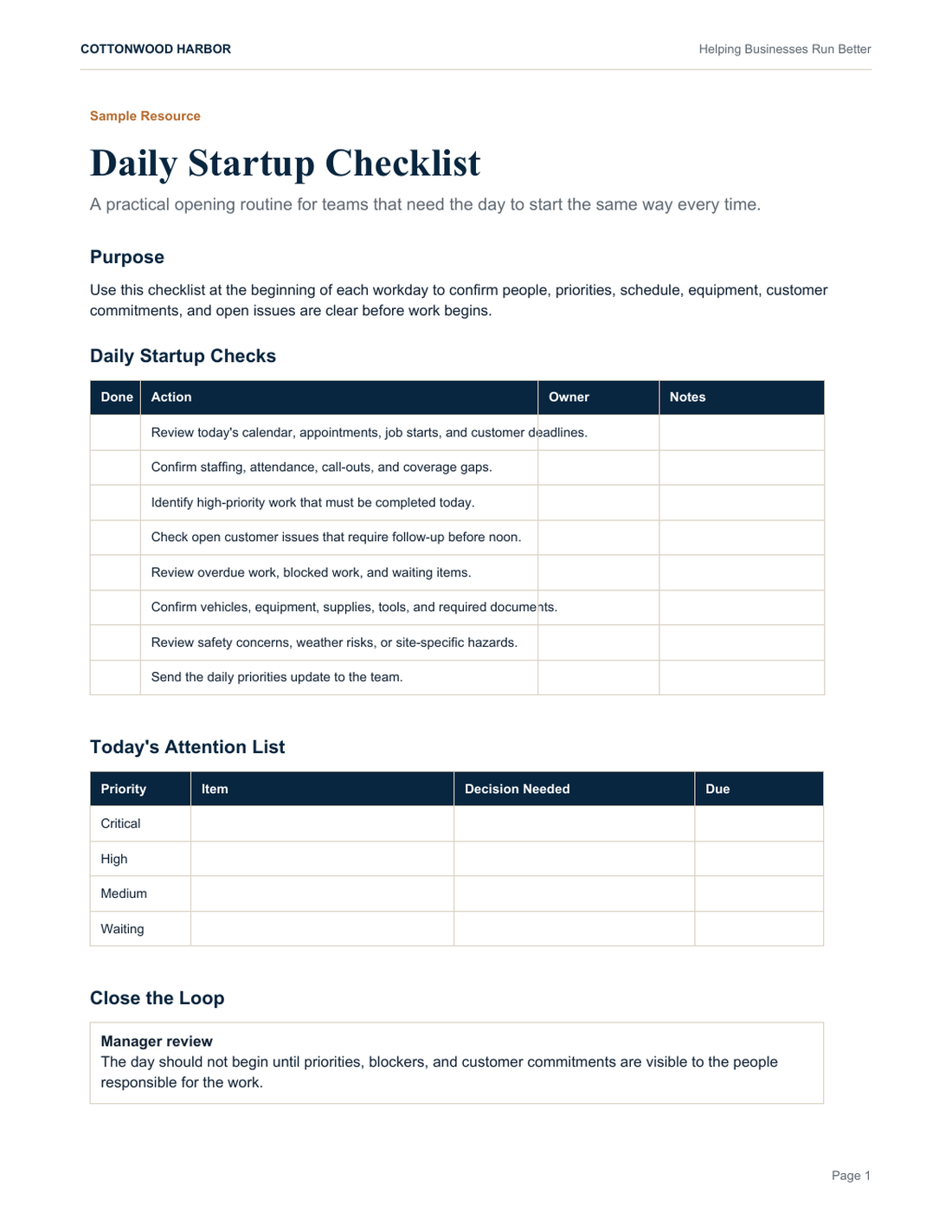
A simple opening routine for assigning ownership, checking safety items, and starting the day with fewer missed steps.
Download Sample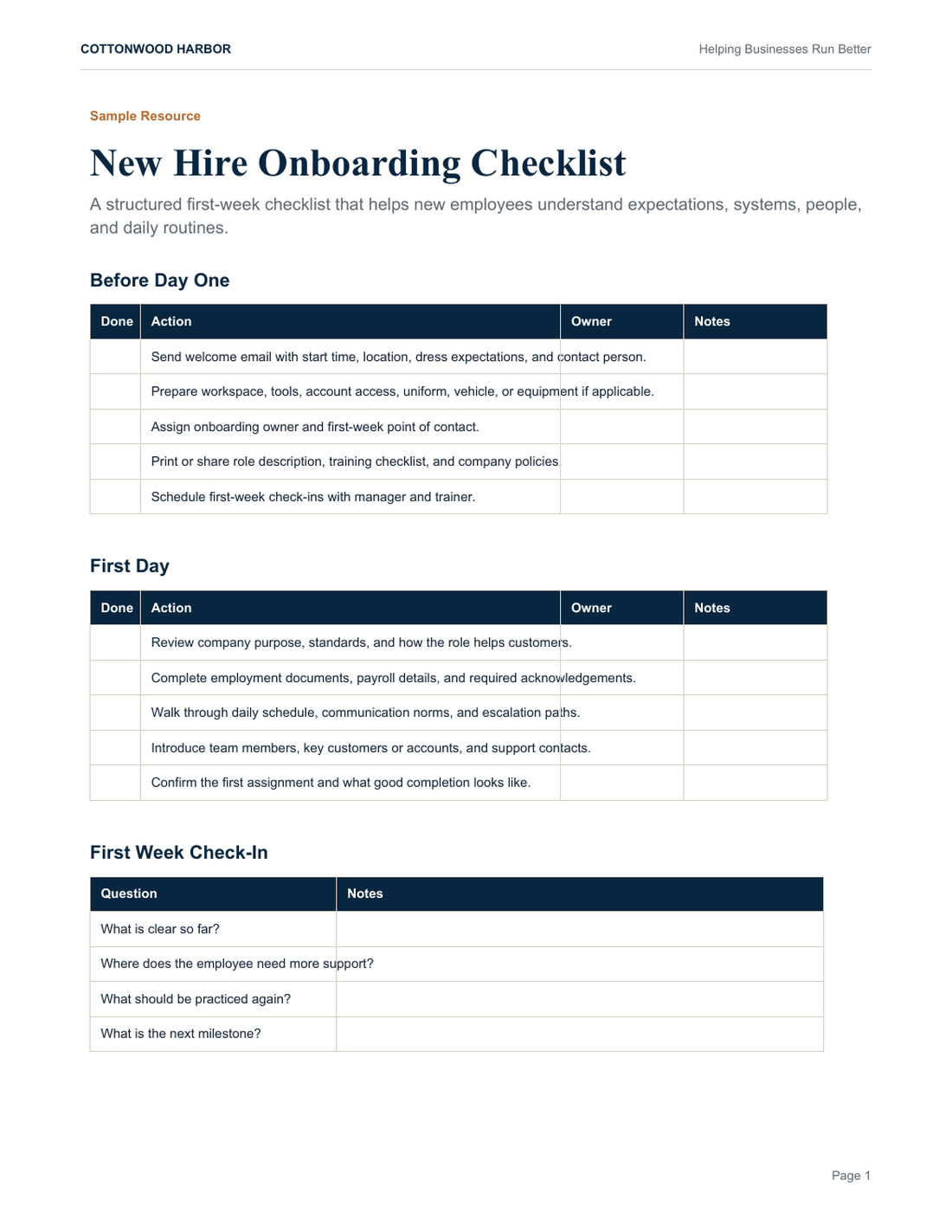
A first-week onboarding structure that helps new employees understand people, tools, policies, and expectations.
Download Sample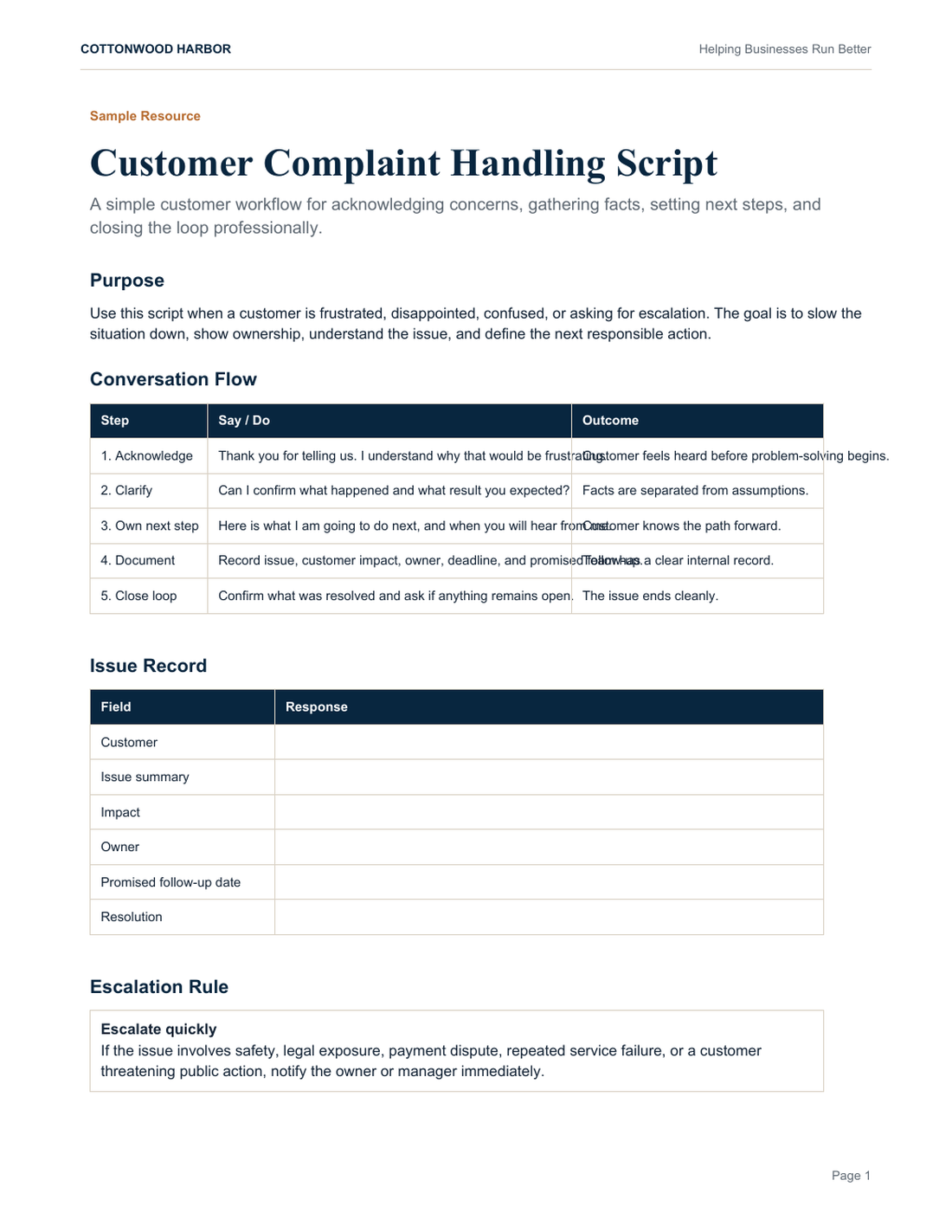
A calm response framework for acknowledging the issue, gathering facts, setting next steps, and closing the loop.
Download Sample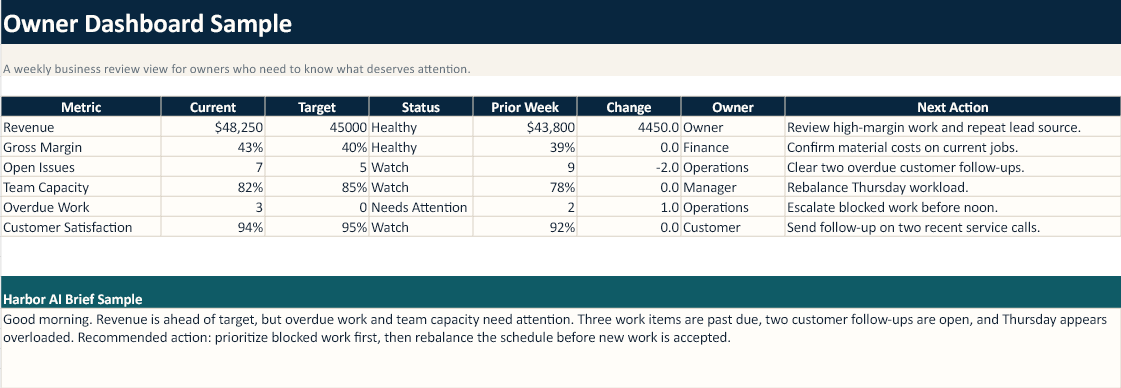
A starter workbook with an owner dashboard, job costing calculator, and cash flow tracker for quick business review.
Download WorkbookHow it works
Start with the part of the business that feels too dependent on memory, scattered files, or one person. Then pull the right resource from the library and make it part of the daily rhythm.
Built for real business use
Cottonwood Harbor is not trying to be a folder of generic templates. It is becoming a practical operating library for small businesses: the place owners go when they need to document work, improve consistency, train people, and make better decisions.
Why not just use AI
Generic AI output can be useful, but it usually creates one isolated document at a time. Cottonwood Harbor organizes business-ready resources into systems that fit together: operations, customers, hiring, finance, safety, marketing, and reporting.
That means you are not starting from a blank prompt. You are starting from a structured library designed around how small businesses actually work.
Who it is for
Document job flow, field checks, estimates, closeout, equipment, and customer follow-up.
Standardize daily operations, technician routines, service reminders, and customer communication.
Organize safety meetings, job documentation, schedules, inspections, and project handoffs.
Track vendors, inspections, tenant communication, maintenance requests, and recurring procedures.
Improve onboarding, office SOPs, client follow-up, performance reviews, and administrative workflows.
Common questions
Yes. The purpose is to give you a strong starting point that can be adapted to your business, team, industry, and workflows.
Checkout is available now. After subscribing, Cottonwood Harbor will follow up with access and onboarding details for the current library.
Independent professionals, service businesses, owner-led teams, and growing companies that need clearer operating systems without enterprise complexity.
The library will continue to expand, and Harbor Vault will grow into a broader business operating system around work, documents, reporting, and AI.
The current samples include PDF resources and an Excel workbook. The library is being built for practical business use and editable formats where appropriate.
Yes. The subscription model is designed around a growing operating library, not a one time file pack.
Yes. The resources are intended to help you run your own business and train your own team.
Checkout is live. During this early release, Cottonwood Harbor follows up with access and onboarding details after subscription.
Free starter kit
Preview the operating-library approach with sample resources for daily startup, onboarding, customer follow-up, and weekly business review.
Who we help
Cottonwood Harbor is a fit for growing companies, service businesses, and small leadership teams that need the same answers, forms, checklists, and reports used consistently.
Contact
Start with the library, then tell us which area of the business needs better systems next.